
Waterfox Essentials: Find what version of Waterfox you are using

It’s often important to know what version of Waterfox you are using, to help you troubleshoot a problem or just to know if Waterfox is up to date. Here is how you can find out.

Click the menu button menu button, click Help and select About Waterfox. The About Waterfox window will appear. The version number is listed underneath the Waterfox name.

Here is an example of what the About Waterfox window will look like:
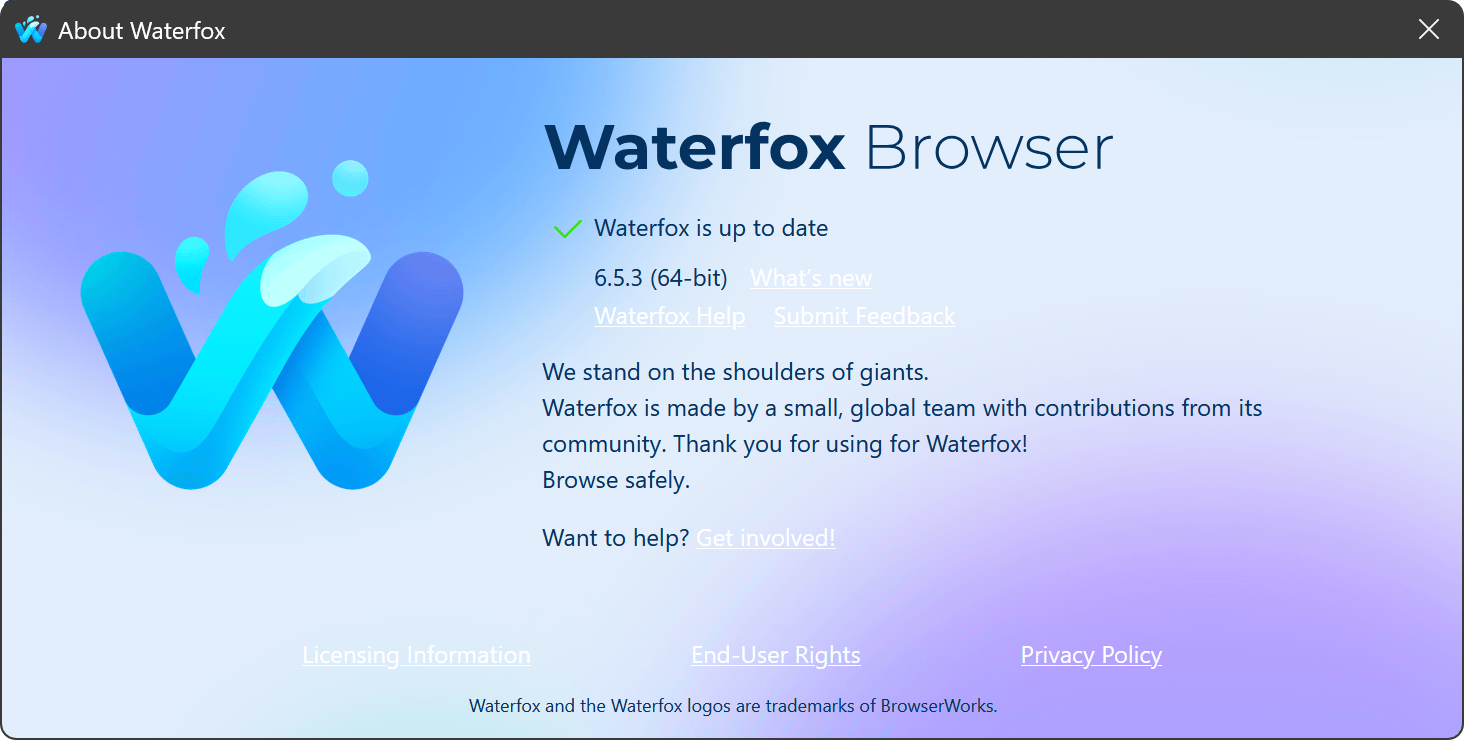
about waterfox window

Opening the About Waterfox window will, by default, start an update check. If an updated version of Waterfox is available, it will be automatically downloaded. For more information, see Update Waterfox to the latest release.

Tip

You can also find your Waterfox version on the Troubleshooting Information (about:support) page. Your Waterfox version is listed underneath the Application Basics section of the page.

Source

Comments

Popular posts from this blog

Windows Media Player 12 Themes for Windows 7

Bored of your default Windows Media Player Skins?. Grab some fresh and new Windows Media Player 12 themes for Windows 7 ! Windows Media Player 12 Codecs Windows Media Player 12 comes with support for DivX and MP4, but it still lacks supports for many other video formats. (amr | mpc | ofr | divx | mka | ape | flac | evo | flv | m4b | mkv | ogg | ogv | ogm | rmvb | xvid)ù A popular codec pack can be downloaded here and here . Windows Media Player 12 Skins The following skin packages includes some really awesome themes for your Windows Media Player: Alienware Theme Batman Theme Catwoman Theme Darkstar Theme Half-Life Theme Halo 2 Theme The Last Samurai Theme Stalker Theme XBOX Theme XSN Sports Them Download Windows Media Player Themes Pack 1 (70 Skins) Download Windows Media Player Themes Pack 2 (12 Skins) New Year Theme 2010 for Windows 7 This theme can be downloaded for free from uploaded.to Custom Search If you liked this article, subscribe t...

Windows 7 Keyboard Shortcuts.

Keyboard shortcuts are combinations of two or more keys that, when pressed, can be used to perform a task that would typically require a mouse or other pointing device. Keyboard shortcuts can make it easier to interact with your computer, saving you time and effort as you work with Windows and other programs.  Most programs also provide accelerator keys that can make it easier to work with menus and other commands. Check the menus of programs for accelerator keys.  If a letter is underlined in a menu, that usually means that pressing the Alt key in combination with the underlined key will have the same effect as clicking that menu item. Pressing the Alt key in some programs, such as Paint and WordPad, shows commands that are labeled with additional keys that you can press to use them. Dialog box keyboard shortcuts. The following table contains keyboard shortcuts for use in dialog boxes. Press this key To do this: Ctrl+Tab Move forward through tabs...

Windows 7 Themes.

Windows themes always seem to be a big hit. With the launch of Windows 7, the themes for Windows 7 have been in high demand.  These themes are free, both on Microsoft's part and the other ones as well.  Windows 7 has been developed keeping in mind the different points of views of the users and the commentators, because it's very easy to use and light to carry.  I've created a compilation where you can find many Windows 7 (W7) themes.  Take a look at some of these themes, some are really attractive based on Windows 7 and others are based on games, cars, vehicles, animations, just to name a few. Enjoy! Windows Strata40 Download Info of Windows Strata40 Blaque :: Final:: Download Info of Blaque :: Final:: Winter Mac Theme on W7 Download Info of Winter Mac Theme on W7 Sonye Theme for Win7 v2 Download Info of Sonye Theme for Win7 v2 Elegant-Glass-V2 Download Info of Elegant-Gl...