How does VBS Enclave virtualization performance compare between Arm-based Copilot+ PCs and traditional x86-64 processors?
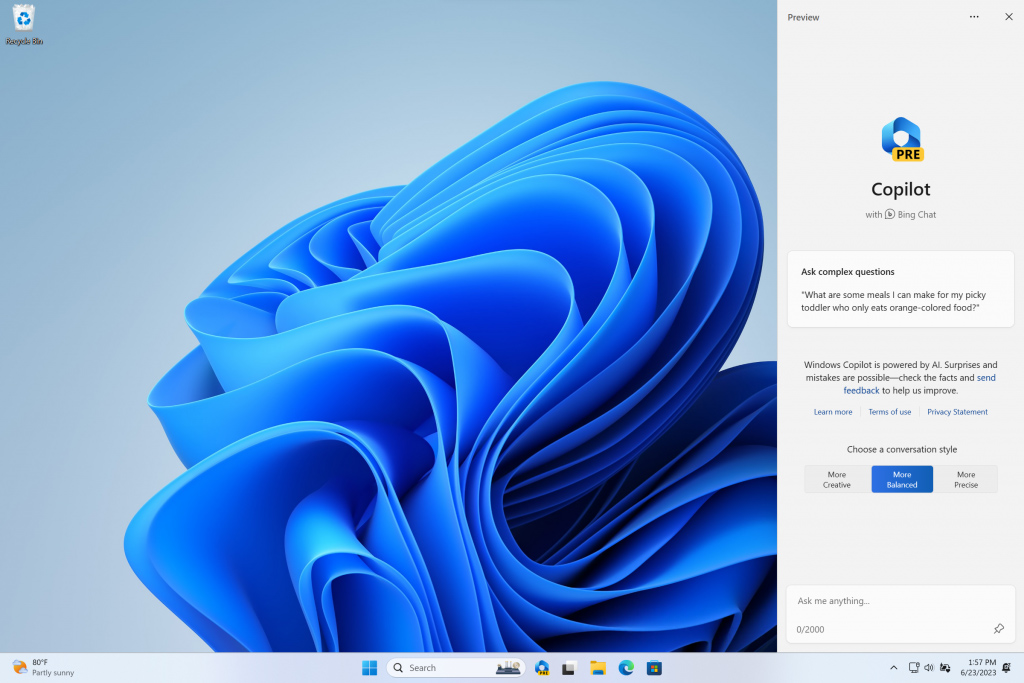
When executing Virtualization-Based Security (VBS) Enclaves—such as those used by Windows Recall, local vector databases, and Credential Guard—both Arm-based Copilot+ PCs (e.g., Qualcomm Snapdragon X series) and modern x86-64 processors (Intel Core Ultra / Lunar Lake and AMD Ryzen AI 300 / Zen 5) utilize hardware-assisted virtualization.
However, because Arm64 designed hypervisor hardware support directly into its core Exception Level architecture from the ground up, Arm processors handle VBS Enclave transitions with lower latency, smaller memory overhead, and higher energy efficiency compared to traditional x86-64 systems.
1. Architectural Exception Model (EL2 vs. VMX Root)
The fundamental difference lies in how the CPU hardware handles hypervisor operations:
Arm64 Exception Levels                        x86-64 VMX Modes
+---------------------------------+          +---------------------------------+
| EL0: User Apps (VTL0 / VTL1)    |          | Ring 3: User Apps               |
+---------------------------------+          +---------------------------------+
| EL1: OS Kernel (VTL0 / VTL1)    |          | Ring 0: OS Kernel               |
+---------------------------------+          +---------------------------------+
| EL2: Hyper-V (Hypervisor)       |          | VMX Root Mode: Hyper-V          |
+---------------------------------+          +---------------------------------+
-
Arm64 (Native Exception Levels): Arm handles virtualization via explicit hardware tiers: EL0 (User), EL1 (OS Kernel), EL2 (Hypervisor), and EL3 (Secure Monitor).
-
With Virtualization Host Extensions (FEAT_VHE) introduced in ARMv8.1-A and refined in ARMv9, Hyper-V runs directly in EL2 with minimal hardware overhead.
-
Transitioning between normal Virtual Trust Level 0 (VTL0) and secure Virtual Trust Level 1 (VTL1) inside a VBS Enclave occurs natively without switching execution "modes."
-
-
x86-64 (Intel VT-x / AMD-V): x86 uses an overlay mode system (VMX Root for the hypervisor vs. VMX Non-Root for the guest OS).
-
To enforce VBS memory protections, the CPU must execute hardware VM-Exits and VM-Entries to drop into VMX Root mode, perform hypervisor checks, and return to the guest OS.
-
VM-Exits carry a higher clock-cycle penalty (~500–1,500 clock cycles per exit) compared to native Arm EL1-to-EL2 transitions (~100–300 cycles).
-
2. Memory Translation & TLB Management (SLAT)
VBS Enclaves protect AI data by isolating VTL1 memory from VTL0 using Second-Level Address Translation (SLAT):
-
Arm64 Stage 2 Translation: Arm CPUs natively integrate a Two-Stage MMU in hardware. Stage 1 translates Virtual Address $\rightarrow$ Intermediate Physical Address (IPA), and Stage 2 translates IPA $\rightarrow$ Physical Address (PA).
-
Arm pairs Stage 2 page tables with hardware ASIDs (Address Space Identifiers) and VMIDs.
-
Switching into or out of a VBS Enclave allows the CPU to swap address contexts without flushing the Translation Lookaside Buffer (TLB). This drastically reduces the performance penalty when querying encrypted vector indices inside an enclave.
-
-
x86-64 Extended Page Tables (EPT) / Nested Page Tables (NPT): x86 relies on Intel EPT or AMD NPT for SLAT.
-
While modern x86 chips utilize VPIDs (Virtual Processor IDs) to prevent full TLB flushes, page walks across nested 2D page tables during enclave memory access are historically more complex, requiring up to 24 memory accesses per un-cached translation in worst-case scenarios.
-
3. Permission Control & Memory Protection
VBS Enclaves enforce strict Hypervisor-Protected Code Integrity (HVCI) so that malicious code cannot execute inside isolated enclave memory:
-
Arm64 Stage 2 Granular Permissions: Arm natively supports explicit execution-never (
XN) and read/write permission bits at Stage 2 in hardware. The hypervisor can block VTL0 from executing or modifying VTL1 enclave code directly in the Stage 2 page table without triggering expensive fault traps. -
x86-64 Extensions (MBEC & GMET): Legacy x86 lacked execute-permission bits at the EPT level, forcing Hyper-V to emulate it by toggling user/supervisor bits (causing severe performance drops).
-
Modern x86 CPUs mitigate this using Intel MBEC (Mode-Based Execute Control) and AMD GMET (Guest-Mode Execute Trap). While this brings x86 HVCI performance close to parity with Arm, it remains an added hardware extension rather than a fundamental ISA feature.
-
Performance Summary Matrix
Metric / Architecture Feature
Arm-based Copilot+ PCs (Qualcomm Snapdragon X)
Modern x86-64 PCs (Intel Lunar Lake / AMD Zen 5)
Hypervisor Execution Model
Native EL2 with Virtualization Host Extensions (VHE)
VMX Root / Non-Root mode-switching (Intel VT-x / AMD-V)
VTL Context-Switch Latency
Extremely Low (~100–300 cycles)
Moderate (~500–1,500 cycles per VM-Exit)
TLB Invalidation on Enclave Entry
Zero (Hardware VMID + ASID tagging)
Low to Moderate (Mitigated via VPID / PCID)
HVCI Code Integrity Overhead
$< 1\%$ (Native Stage 2 XN permission bits)
$1\% - 3\%$ (Requires MBEC/GMET hardware acceleration)
Power Impact during Heavy Enclave Use
Minimal (High energy efficiency during background Recall indexing)
Moderate (Higher clock frequency spikes during hypervisor traps)
Real-World Takeaway for Copilot+ Workloads
Because features like Windows Recall and Click to Do constantly process background screenshots, perform OCR, and query VBS Enclave-protected vector databases, virtualization efficiency directly impacts battery life and system responsiveness:
-
On Arm (Snapdragon X): The low context-switch overhead of ARMv9 EL2 allows Windows 11 to query and update VBS Enclaves continuously in the background without causing CPU pipeline stalls or micro-stutters in foreground apps.
-
On x86-64 (Intel / AMD): Modern x86 chips handle VBS Enclaves with minimal impact on office applications, but continuous high-frequency hypervisor traps can still lead to slightly higher power consumption and minor latency during real-time background indexing.
Comments
Post a Comment
Do not insert clickable links or your comment will be deleted. Checkbox Send me notifications to be notified of new comments via email.