
The Most Popular Post of October 2015 from The World of Windows.

1.- How to upgrade to Windows 10: What you need to know

Beginning July 29, Windows 7 and Windows 8.1 users will be able to download Windows 10. It’s a monumental shift for both Microsoft and its customers. But Microsoft has provided a wealth of information to ease the transition, and let you upgrade to Windows 10 as simply and easily as possible. For c...

2.- Save your work: Microsoft is forcing an update and restart for Windows 10 tonight

Windows 10 users, save all your work before logging out today. Microsoft is rolling out a major patch today and tonight that will force a system restart. What’s known as “KB3081424” is a cumulative or “rollup” patch, tying together all of the major incremental updates that have already been appli...

3.- How Coursera, A Free Online Education Service, Will School Us All.

Christos Porios, 16, lives in Alexandroupolis, a small Greek city on the Aegean Sea about 20 miles from Greece's eastern border with Turkey. "My mother's a teacher and my father's a mechanic," he explains, adding that neither is particularly knowledgeable about computers—especially compar...

4.- 50 Unique and Useful Websites on the Internet.

In the internet world when we surfing the browser we can see millions of websites, blogs, gaming sites. Websites are categorized as personal resource, travel, education, general internet etc. But if you visit a website that may be useful and interested for you but another one feels that’s not s...

5.- The Most Popular Post of December 2014 from The World of Windows.

1.- 30+ Best Photography Blogger Templates Free 2014. I have collected Blogger templates which is best for the Photography blog. You will Find below Best Photography Blogger Templates Free 2014. Blogger is very easy to use for posting, editing and optimize your Photography. These Photography...

6.- AdSense for b2evolution.

No longer necessary because the functionality has been integrated into b2evolution's core. The AdSense plugin for b2evolution lets you embed AdSense blocks into your blog posts. Download Now! adsense_plugin_091.zip (2.5 KB) Usage. All you need to do is put the cursor where you want the A...
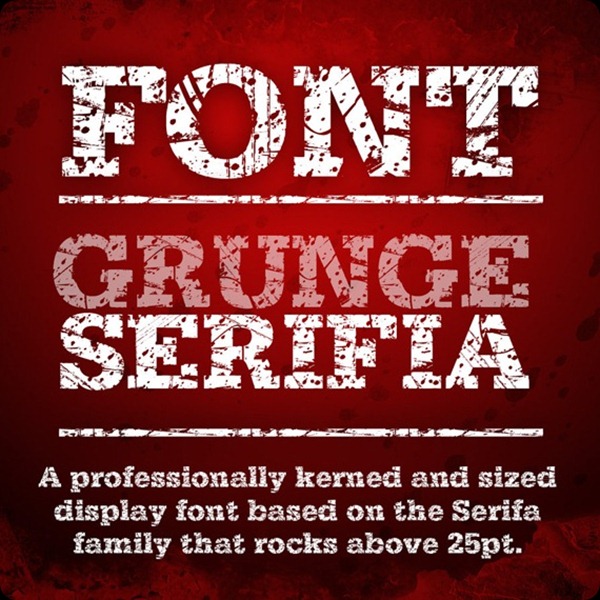
 

7.- 40 Free Fonts Ideal For Retro And Vintage Designs (Chapter 2)

So you’ve finally finished that poster or design for a client, yet you feel that it’s missing a certain “je ne sais quoi”. You can’t seem to point your finger at it, yet it seems to be lacking something. Hopefully, these free fonts will fill in that empty gap and improve the overall aesthetics of ...


8.- 30+ Best Free Photography Blogger Templates 2015.

I have collected Blogger templates which is best for the Photography blog. You will Find below Best Free Photography Blogger Templates. Blogger is very easy to use for posting, editing and optimize your Photography.  These Photography Blogger Templates are simple and yet effective and wi...


9.- 20 Premium Responsive Blogger Templates.

Responsive Design has become an integral part of Web Design now. Blogger Template Designers have picked up this trend as well and have created some excellent templates. These templates come with features like cross-browser support , ads ready , Optimized SEO , Blogger Template Designer support to...


10.- 20 Creative iPad Apps For Web Developers And Designers.

Now that the iPad has been released, web developers and designers alike want to know which apps are worthy of their fingerprints. To help make the search a bit easier, I’ve compiled a collection of 20 creative iPad apps that should prove quite useful for web designers, graphic designers and anyon...

If you liked this article, subscribe to the feed by clicking the image below to keep informed about new contents of the blog:

windows_xp

Comments

Popular posts from this blog

Windows Media Player 12 Themes for Windows 7

Bored of your default Windows Media Player Skins?. Grab some fresh and new Windows Media Player 12 themes for Windows 7 ! Windows Media Player 12 Codecs Windows Media Player 12 comes with support for DivX and MP4, but it still lacks supports for many other video formats. (amr | mpc | ofr | divx | mka | ape | flac | evo | flv | m4b | mkv | ogg | ogv | ogm | rmvb | xvid)ù A popular codec pack can be downloaded here and here . Windows Media Player 12 Skins The following skin packages includes some really awesome themes for your Windows Media Player: Alienware Theme Batman Theme Catwoman Theme Darkstar Theme Half-Life Theme Halo 2 Theme The Last Samurai Theme Stalker Theme XBOX Theme XSN Sports Them Download Windows Media Player Themes Pack 1 (70 Skins) Download Windows Media Player Themes Pack 2 (12 Skins) New Year Theme 2010 for Windows 7 This theme can be downloaded for free from uploaded.to Custom Search If you liked this article, subscribe t...

How to change the size of the touch and on-screen keyboard in Windows 10

Windows 10 PCs come with two keyboard apps, one is the OnScreen Keyboard , and the other is the Touch Keyboard . Basically, you don't need a touch screen to use the on-screen keyboard. It displays a virtual keyboard on the screen and you can use the mouse to select and press the keys. Although the on-screen keyboard app is very useful when we don't have a physical keyboard, its size is always a problem for users. You can move or enlarge the virtual keyboard from the icons in the upper right corner. If you want, you can also easily resize it. Changing the size of the on-screen keyboard is very easy. Type On-Screen Keyboard in your Windows search and run the desktop app, or you can also go via Settings > Ease of Access > Keyboard> Turn on the On-screen keyboard.   To change the size of the on-screen keyboard, move the cursor to the corner and drag it to the desired size. Resizing the touch keyboard is as simple as doing it! Just drag it and resize it us...

Windows 7 Keyboard Shortcuts.

Keyboard shortcuts are combinations of two or more keys that, when pressed, can be used to perform a task that would typically require a mouse or other pointing device. Keyboard shortcuts can make it easier to interact with your computer, saving you time and effort as you work with Windows and other programs.  Most programs also provide accelerator keys that can make it easier to work with menus and other commands. Check the menus of programs for accelerator keys.  If a letter is underlined in a menu, that usually means that pressing the Alt key in combination with the underlined key will have the same effect as clicking that menu item. Pressing the Alt key in some programs, such as Paint and WordPad, shows commands that are labeled with additional keys that you can press to use them. Dialog box keyboard shortcuts. The following table contains keyboard shortcuts for use in dialog boxes. Press this key To do this: Ctrl+Tab Move forward through tabs...