
Waterfox Essentials: How to enable Windows SSO login in Waterfox

Windows single sign-on (SSO) is a new Waterfox feature that allows you to log in to Microsoft, work, and school accounts using credentials from your Windows 10 or 11 operating system. To enable it, click the Waterfox menu menu button button, click Settings, select Privacy & Security on the left, go down to the Logins and Passwords section and check the box next to the Allow Windows single sign-on … setting.
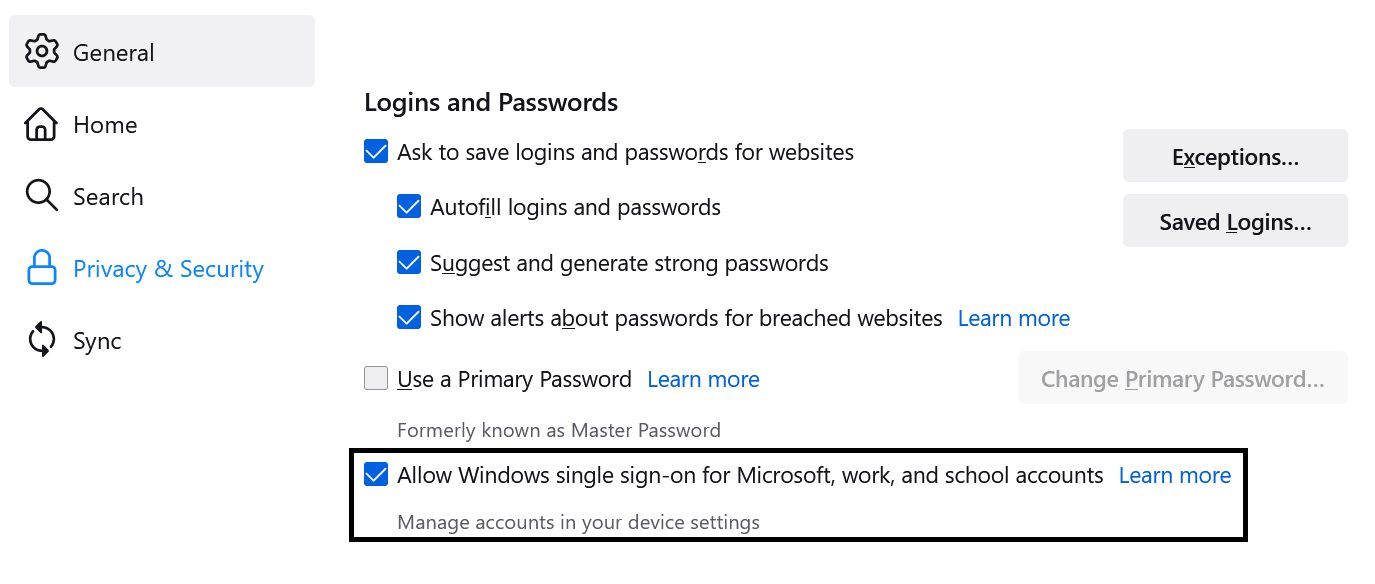
Windows SSO Preference

Note

This feature is available to Windows 10 and Windows 11 users starting in Waterfox version 91. It may be expanded to other Windows users in a future release.

To see if you have any accounts configured, enter accounts in the Windows taskbar search field, and click on Email & accounts. You’ll see a window that looks like this:
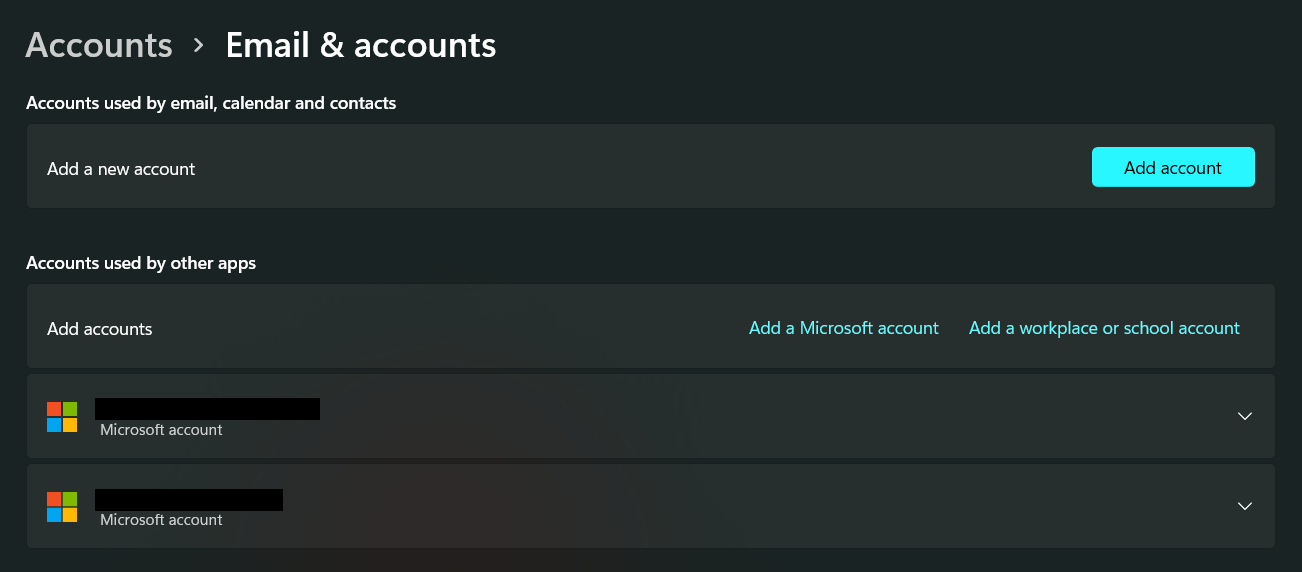
Windows 11 Email & Accounts

If you have accounts in the Accounts used by other apps section, Waterfox will use that information to log you in to Microsoft sites including Outlook and Office 365, as well as any work or school accounts that use Microsoft authentication.

source

Comments

Popular posts from this blog

Windows Media Player 12 Themes for Windows 7

Bored of your default Windows Media Player Skins?. Grab some fresh and new Windows Media Player 12 themes for Windows 7 ! Windows Media Player 12 Codecs Windows Media Player 12 comes with support for DivX and MP4, but it still lacks supports for many other video formats. (amr | mpc | ofr | divx | mka | ape | flac | evo | flv | m4b | mkv | ogg | ogv | ogm | rmvb | xvid)ù A popular codec pack can be downloaded here and here . Windows Media Player 12 Skins The following skin packages includes some really awesome themes for your Windows Media Player: Alienware Theme Batman Theme Catwoman Theme Darkstar Theme Half-Life Theme Halo 2 Theme The Last Samurai Theme Stalker Theme XBOX Theme XSN Sports Them Download Windows Media Player Themes Pack 1 (70 Skins) Download Windows Media Player Themes Pack 2 (12 Skins) New Year Theme 2010 for Windows 7 This theme can be downloaded for free from uploaded.to Custom Search If you liked this article, subscribe t...

How to change the size of the touch and on-screen keyboard in Windows 10

Windows 10 PCs come with two keyboard apps, one is the OnScreen Keyboard , and the other is the Touch Keyboard . Basically, you don't need a touch screen to use the on-screen keyboard. It displays a virtual keyboard on the screen and you can use the mouse to select and press the keys. Although the on-screen keyboard app is very useful when we don't have a physical keyboard, its size is always a problem for users. You can move or enlarge the virtual keyboard from the icons in the upper right corner. If you want, you can also easily resize it. Changing the size of the on-screen keyboard is very easy. Type On-Screen Keyboard in your Windows search and run the desktop app, or you can also go via Settings > Ease of Access > Keyboard> Turn on the On-screen keyboard.   To change the size of the on-screen keyboard, move the cursor to the corner and drag it to the desired size. Resizing the touch keyboard is as simple as doing it! Just drag it and resize it us...

Windows 8 'Family Safety' feature chaperones underage users through the World Wild Web.

It's not the tantalizing bit of Windows 8 bait you'd expect in the lead up to that revolutionary OS' official launch, but for a certain domestic segment, it'll do. As part and parcel of its Release Preview -- slated for a June bow-- Microsoft's making the busywork of keeping digital tabs on your household ankle biters an integrated and easily managed feature of the two-faced system, accessible via the "Family Safety" option. Once enabled on the account profile for an underage user, parents will have the ability to receive weekly activity reports detailing web usage, as well as set site / application restrictions, search filters and time limits for PC usage. Despite Redmond's best efforts, there's still one wall this virtual oversight won't let you breach -- your child's Facebook account. For that, you'll just have to make friends. Head on past the break for the company's helpful how-to video.     If ...